
Format check
Start with an SRT file the strict parser accepts
OpenSpeaker treats input as SRT once it contains subtitle timecode lines, then validates every block before any credits are deducted. Each block needs a cue number made of digits, a timecode line in HH:MM:SS,mmm --> HH:MM:SS,mmm format with a comma before the milliseconds, an end time later than its start time and at least one line of text. Cues are separated by a blank line, and multi-line cue text is joined into one line before synthesis.
If any block breaks these rules, the task is rejected with that block’s number instead of being read as plain text, so cue numbers and timecodes are never spoken aloud. WebVTT files, which use a period before the milliseconds, and timecode lines followed by position settings need converting first.
1
00:00:00,000 --> 00:00:02,800
Welcome back to the course.

2
00:00:03,200 --> 00:00:07,500
Today we cover three ideas. <break time="0.5s"/> First, the timeline.- Digits-only cue number
- HH:MM:SS,mmm --> HH:MM:SS,mmm
- End time later than start time
- A blank line between cues
Timeline behavior
Every cue starts on its timestamp; long lines are compressed to fit
OpenSpeaker generates audio cue by cue and mixes each clip onto one absolute timeline at the cue’s start time. The finished file starts at 00:00:00, so a first cue at 00:00:10 is preceded by ten seconds of silence, and the file ends shortly after the latest cue end time. Overlapping cues are mixed together rather than pushed later.
When a cue’s speech is shorter than its window, it keeps its natural pace and the rest of the window stays silent. When it is longer, that clip is sped up with pitch-preserving time-stretching until it fits. The speed slider is hidden for SRT input and SRT jobs always run at speed 1.0, because the subtitle timing sets the pace.
The practical rule: dense cues sound rushed. Fix them in the script—shorten the line, split it into two cues or widen its window—before spending credits on the whole file.
Cue length
Size cues for the voice tier you choose
With Microsoft Edge voices in the Low cost tier, one cue can hold up to 3,000 characters; a longer cue rejects the whole task before credits are deducted. High quality voice sources split long cues into shorter sub-chunks automatically and join them back into one clip for that cue.
A cue that passes the character limit can still be far too long for its time window. Pauses count toward the clip too: <break time="0.5s"/> inserts exact silence of up to six seconds, and each asterisk (*) becomes a 0.5-second pause instead of being read.
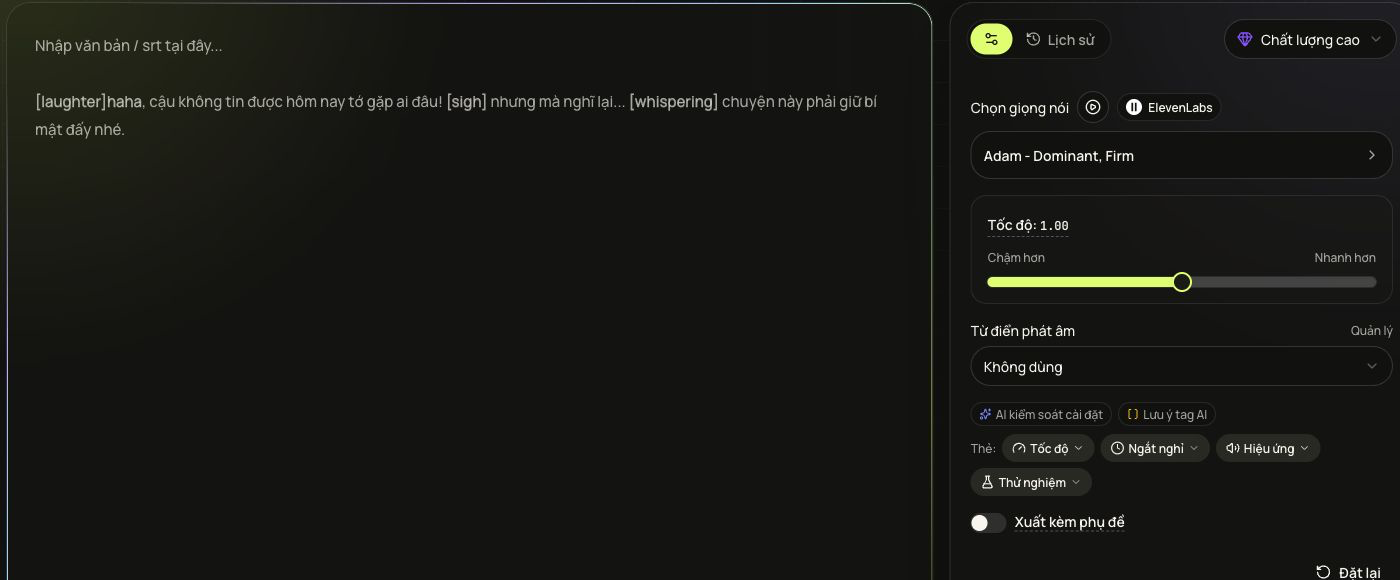
With High quality voices, expression tags such as [whispering] or [laughter] become delivery controls inside a cue, and any other text in square brackets is removed. Microsoft Edge voices remove all square-bracket text, so keep words that must be read out of square brackets.
See every Text to Speech controlFive-hour workflow
Run a five-hour timeline as one task, or one task per file
The five-hour limit applies to the latest cue end time in the file, not to the total of spoken cues: a file whose last cue ends after 05:00:00,000 is rejected. The whole file, including cue numbers and timecodes, also counts toward the 1,000,000-character task limit and toward the credit estimate.
For episodes or chapters, import a ZIP archive or a folder of .srt and .txt files. Each file becomes its own task, submitted one after another, and each shows its character count and credit estimate before you start. Finished files leave the list; if one fails, the batch stops there so you can fix that file and continue. Importing a single file opens it in the editor instead.
Turn on Export transcript only when you need a new subtitle file built from the finished audio. It is generated by speech-to-text from the result and adds 15% to the task’s credits; when your input is already an SRT file, you may not need it.
- Last cue ends by 05:00:00,000
- Whole file within 1,000,000 characters
- ZIP or folder: one task per file
- Export transcript: +15% credits
Parser rules, timeline behavior, limits and credit multipliers were checked against the OpenSpeaker application and backend source code on 9 November 2026. Spoken length depends on the voice, language and text, so how much a cue is compressed—and how long processing takes—varies by job.
Frequently asked questions
What to know before generating
Does OpenSpeaker keep the timing of my SRT file?
Yes. Each cue is generated separately and placed at its start timestamp on one timeline that begins at 00:00:00. Speech longer than its cue window is sped up to fit; shorter speech keeps its natural pace.
How long can an SRT file be?
The latest cue can end at up to five hours (05:00:00,000), and the whole file—cue numbers and timecodes included—must stay within 1,000,000 characters per task.
Why was my SRT file rejected as invalid?
Common causes are a period instead of a comma before the milliseconds, a missing blank line between cues, an end time that is not later than the start time, an empty cue or extra text after the timecodes. The error names the block to fix, and no credits are deducted for a rejected file.
Can I change the speaking speed for SRT input?
No. The speed slider is hidden for SRT input and SRT jobs run at speed 1.0, because cue timing sets the pace. To slow a line down, give it a wider window or shorten its text.
How are credits calculated for SRT to speech?
The estimate counts every character in the file, including cue numbers and timecodes, and SRT input uses 1.2× the per-character rate of plain text. Microsoft Edge voices use 50% fewer credits than High quality voices, and Export transcript adds 15%. The app shows the estimate before you generate.
Can one SRT file use several voices?
A text-to-speech SRT task uses the one selected voice for every cue. For multi-speaker scripts without timecodes, Text to Dialogue assigns a voice to each labeled speaker.